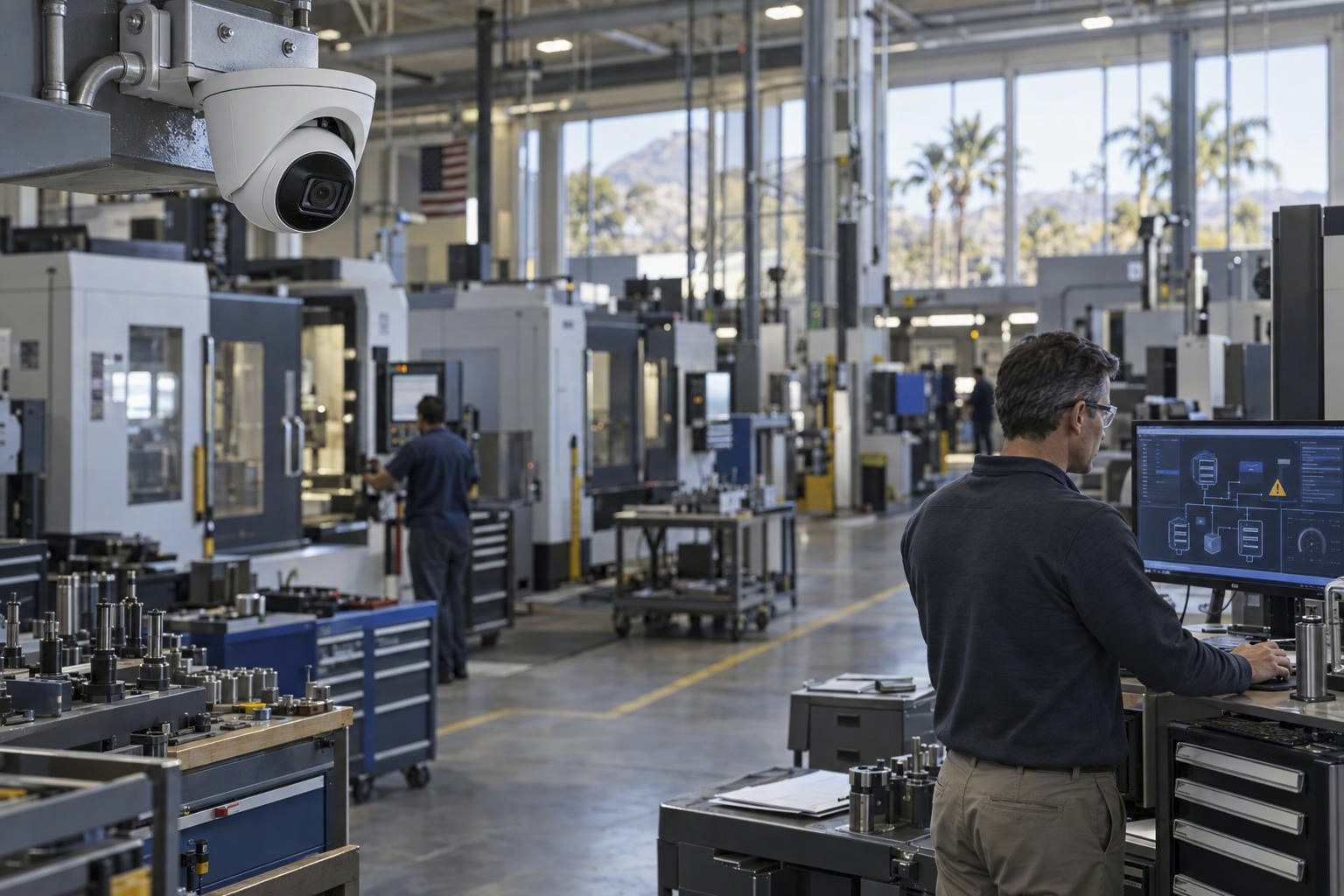
Security cameras help protect manufacturing facilities, but the systems managing them also need cybersecurity oversight.
By Peter Noble, Founder/CEO, Noble Technology Group
The cameras above your loading dock may be doing their job. The computer that manages them may still be a blind spot.
If you're an Operations Manager at a San Diego manufacturing company or aerospace and defense subcontractor, that matters.
You're responsible for keeping production moving, meeting customer requirements, and making sure outside vendors don't create unexpected problems.
But here's something many businesses overlook.
Your surveillance system may involve a camera installer, equipment vendor, Windows computer, cloud account, and IT provider. Each may assume someone else is responsible for protecting the entire system.
And that creates an opportunity for trouble.
In October 2026, cybersecurity researchers at Huntress documented incidents in which attackers appeared to gain access through legitimate camera-management software.
The researchers didn't establish that hackers accessed camera feeds. They also couldn't definitively identify the software vendor or how the initial compromise happened.
But the larger lesson is important.
Technology installed to protect your business can become a security risk when nobody is responsible for monitoring it.
And for manufacturers, that risk can extend beyond cybersecurity into production disruptions, compliance concerns, and cyber insurance requirements.
A security camera can protect your front door while its management software leaves a side door open.
Three Questions Every Operations Manager Should Ask
You don't need to understand the technical details of a cyberattack to recognize whether your business might have an exposure.
Start with three simple questions:
- Who monitors our camera system? Is the computer running the surveillance software included in our normal cybersecurity monitoring?
- What can our cameras access? Is the surveillance network separated from production systems, company files, backups, and sensitive information?
- Can we prove our security controls are working? If a customer, compliance assessor, or insurance company asks, can we document who has access and how the system is protected?
If you don't know the answers, you're not alone.
Many businesses have security systems that were installed years ago and have continued working without anyone taking a closer look at their cybersecurity implications.
The good news is that identifying these risks doesn't necessarily require replacing your cameras or making expensive changes.
It starts with understanding what's connected to your network.
Not sure how your surveillance system connects to the rest of your business?
Schedule a 20-minute IT risk consultation with Noble Technology Group. We can discuss your environment, identify questions worth investigating, and help you understand the next steps.
Why Security Camera Risks Matter to Manufacturing Operations
Most manufacturing businesses purchase surveillance systems for practical reasons.
They want to protect equipment, monitor facilities, document incidents, and improve workplace security.
Those are all good reasons.
But modern camera systems aren't isolated devices. They're connected technology.
They may communicate with computers, servers, cloud services, and outside vendors.
When those connections aren't properly managed, a problem with one system can potentially affect another.
1. Production Disruptions
Imagine arriving Monday morning to discover that a security incident has affected systems your production team depends on.
Employees can't access files. Production schedules are interrupted. Customer deliveries may be delayed.
Meanwhile, you're trying to determine what happened and how quickly operations can return to normal.
I'm not suggesting that every compromised camera system will cause this scenario.
But unrestricted connections between surveillance technology and critical business systems can increase the potential impact of a security incident.
For an Operations Manager, preventing that kind of disruption is far more important than understanding the technical details of the attack.
2. Unclear Vendor Responsibility
Here's a situation I've seen businesses struggle with.
The camera installer manages the surveillance equipment.
The software vendor provides updates.
The IT company manages the network.
And the Operations Manager assumes someone is making sure everything works together securely.
Unfortunately, that responsibility isn't always clearly assigned.
When something goes wrong, the last thing you want is several vendors pointing fingers while your team waits for answers.
Clear accountability matters just as much as the technology itself.
3. Unexpected Compliance Questions
For manufacturers supporting aerospace, defense, or other regulated industries, cybersecurity is increasingly connected to customer expectations and contractual obligations.
An overlooked surveillance system may raise questions during a security review, particularly if it connects to systems containing sensitive information.
And those questions are much easier to answer when your IT environment is properly documented.
How CCTV Security Risks Can Affect CMMC and NIST Compliance
If your company supports Department of Defense contracts, you're probably familiar with CMMC, DFARS 7012, or NIST SP 800-171.
These requirements can affect how businesses protect sensitive information, manage access, document security controls, and demonstrate compliance.
But here's an important distinction.
Not every security camera automatically falls within your CMMC assessment scope.
What matters is how the surveillance environment connects to systems that store, process, or transmit controlled information, and whether those connections affect the applicable security boundary.
For example, consider a manufacturer with:
- A production network supporting manufacturing operations
- An engineering environment containing sensitive customer information
- A Windows computer managing security cameras
- A surveillance vendor with remote access
- Shared network infrastructure connecting these systems
If the camera-management computer can freely communicate with sensitive systems, the company may need to examine whether that connection creates additional security or compliance concerns.
That doesn't automatically mean the company is noncompliant.
It means the environment deserves a closer look.
Compliance Is About More Than Written Policies
One of the biggest challenges I see with compliance is the difference between having a policy and being able to demonstrate that the policy is followed.
You might have a policy requiring:
- Controlled remote access
- Multi-factor authentication
- Security monitoring
- Restricted network access
- Documented system inventories
- Regular security reviews
But what happens when an assessor asks whether those controls also apply to a Windows computer installed by your security camera vendor?
That's when documentation becomes important.
The goal isn't to create more paperwork.
It's to understand your environment well enough to demonstrate that the appropriate protections are actually in place.
Compliance shouldn't be something you scramble to prove during an assessment. It should reflect how your business operates every day.
Could Your Security Cameras Affect Cyber Insurance?
Cyber insurance is another area where overlooked technology can create uncomfortable questions.
When applying for or renewing coverage, businesses may be asked about their cybersecurity protections.
Depending on the insurer and policy, those questions might involve:
- Endpoint detection and response
- Multi-factor authentication
- Remote access security
- Network segmentation
- Backup and recovery procedures
- Security monitoring
- Incident response planning
Now consider a simple example.
Your insurance application asks whether all applicable Windows computers are protected by endpoint security software.
Your IT provider confirms that employee computers and servers are protected.
But what about the Windows workstation running your surveillance system?
Was it included?
Does anyone know?
That uncertainty is worth resolving before an incident or renewal.
To be clear, one overlooked workstation doesn't automatically invalidate insurance coverage or determine whether a claim will be paid.
Insurance requirements depend on the policy, application, and circumstances. Coverage questions should be reviewed with your insurance broker or legal advisor.
But your IT provider should help you understand which systems are covered by your security controls and document the protections that actually exist.
That's one of the practical ways good IT management helps reduce business uncertainty.
If you're unsure whether your documented cybersecurity controls match your actual environment, schedule a conversation with Noble Technology Group.
Four Practical Steps to Reduce Security Camera Risks
Let's make this simple.
You probably don't need another lengthy cybersecurity checklist.
You need a practical plan that helps protect your business without creating unnecessary disruption.
Step 1: Know What's Connected
Start by identifying the technology supporting your surveillance system.
That includes:
- Security cameras and recording equipment
- Windows computers running camera-management software
- Cloud services and mobile applications
- Vendor remote-access connections
- Network equipment connecting everything together
Document who manages each component and whether the equipment and software are still supported.
You can't properly manage risks involving technology you don't know exists.
Step 2: Separate Critical Business Systems
Your surveillance system generally shouldn't have unrestricted access to production servers, accounting systems, engineering files, or sensitive company information.
Proper network segmentation helps limit unnecessary communication between systems.
Think of it like separating different areas of your facility.
Just because someone has access to the loading dock doesn't mean they should automatically have access to the engineering department.
Your network should follow a similar principle.
Step 3: Control Vendor Access
Outside vendors sometimes need remote access to troubleshoot equipment or install updates.
That's normal.
But access should be managed.
Your business should understand:
- Which vendors have remote access
- How they connect
- Whether appropriate authentication is required
- Who approves access
- How access is monitored
- How access is removed when no longer needed
These are reasonable questions every business should be able to answer.
Step 4: Make Sure Someone Is Monitoring the System
Technology doesn't become secure simply because it was installed correctly.
Software needs updates. Accounts need reviews. Security alerts need attention.
And when something goes wrong, someone needs to know what to do.
Windows-based camera-management systems should be evaluated for inclusion in your normal endpoint security, patching, monitoring, and recovery processes.
The goal is to prevent these systems from becoming forgotten corners of your network.
The best cybersecurity strategy isn't the one with the most tools. It's the one that helps your business operate with fewer surprises.
What Should You Ask Your IT Provider?
If you're responsible for operations, you shouldn't have to become a cybersecurity expert.
But you should expect clear answers from the people managing your technology.
Here are six questions worth asking:
- Do we have a complete inventory of our security camera systems?
- Are camera-management computers included in our cybersecurity monitoring?
- Can our surveillance network access sensitive business systems?
- Who manages and approves vendor remote access?
- Are these systems included in our incident response and recovery plans?
- Can we document the controls needed for customer compliance reviews and cyber insurance?
If your provider can't answer these questions immediately, that doesn't necessarily mean something is wrong.
But it does mean there's an opportunity to improve visibility and accountability.
How Noble Technology Group Helps San Diego Manufacturers
At Noble Technology Group, we believe IT should make running your business easier, not more complicated.
For manufacturing and aerospace businesses, that means looking beyond individual computers and software applications.
We help connect the pieces that often get managed separately:
- Managed IT Services: Keeping business technology maintained, monitored, and supported.
- IT Support: Helping employees resolve problems quickly and minimize disruption.
- IT Consulting: Making practical technology decisions that support business operations.
- Cybersecurity: Identifying weaknesses and helping protect connected systems.
- Compliance Services: Supporting security controls, documentation, and preparation for applicable requirements.
- Cyber Insurance Readiness: Helping businesses understand and document the technical protections relevant to their insurance applications.
We also help businesses work through vendor responsibilities, network security, backup planning, and recovery readiness.
Because when several vendors are involved, someone needs to understand how the entire environment fits together.
That's the kind of relationship we work to build with our clients.
What Our Clients Value
Technology matters, but so does having people you can count on.
Joshua Carr of California Marine Cleaning has described Noble Technology Group as a "trusted IT partner across three time zones" providing "real-time problem solving."
Elliot LeGros of Westflex shared that after the company's headquarters burned down, the business was "back up the next day."
Cole Dick of Pacific Crest Services has highlighted streamlined systems, minimal downtime, and direct access to the owner.
These examples aren't claims about CCTV security projects. They reflect the responsiveness, business continuity, and accountability that matter when companies depend on technology to keep operating.
You can read more about our approach to vendor risk, business continuity, and cybersecurity for San Diego businesses.
Our goal isn't simply to install more technology. It's to help you understand your risks, protect your operations, and make confident decisions.
Frequently Asked Questions
Were Security Cameras Actually Hacked?
The Huntress investigation did not establish that attackers accessed camera feeds. The reported incidents involved Windows-based camera-management software that appeared to provide a path into affected computers.
Do We Need to Replace Our Security Cameras?
Not necessarily. The first step is to identify the equipment, software, network connections, and security controls already in place. Unsupported or vulnerable products may need attention, but replacement isn't automatically required.
Can CCTV Systems Affect CMMC Compliance?
Potentially. The answer depends on how the surveillance environment connects to systems handling controlled information and how those connections affect the applicable assessment scope and security requirements.
What If We Don't Have an Internal IT Department?
A managed IT services provider can help inventory connected systems, review network access, evaluate security controls, and develop a practical plan for addressing identified risks.
Know What's Connected Before It Becomes a Problem
Here's what I want you to take away from this.
Your security cameras may be working perfectly.
But that doesn't necessarily mean the technology behind them is properly monitored or separated from the rest of your business.
And you shouldn't have to discover an overlooked connection during a security incident, customer audit, or cyber insurance renewal.
If you're responsible for keeping a manufacturing business running, you already have enough to manage.
You need technology that supports your operation, clear accountability from your vendors, and confidence that important security controls haven't been overlooked.
That's where Noble Technology Group can help.
Let's start with a conversation.
During an initial consultation, we can discuss:
- Your existing camera-management systems
- Vendor and remote access
- Network separation and security monitoring
- Compliance and customer security concerns
- Cyber insurance requirements
- Practical next steps for reducing exposure
Schedule Your 20-Minute IT Risk Consultation
Protecting your building is important. Protecting the business behind it is part of the same job.