Cybersecurity Awareness Training: The 13-Minute Phone Call That Could Cost Your Business Thousands
By Peter Noble, Founder and CEO of Noble Technology Group
Imagine your office manager receives a call from someone claiming to represent the company’s bank.
The caller knows her name. He sounds professional. He says suspicious activity has been detected and that he is trying to protect the account.
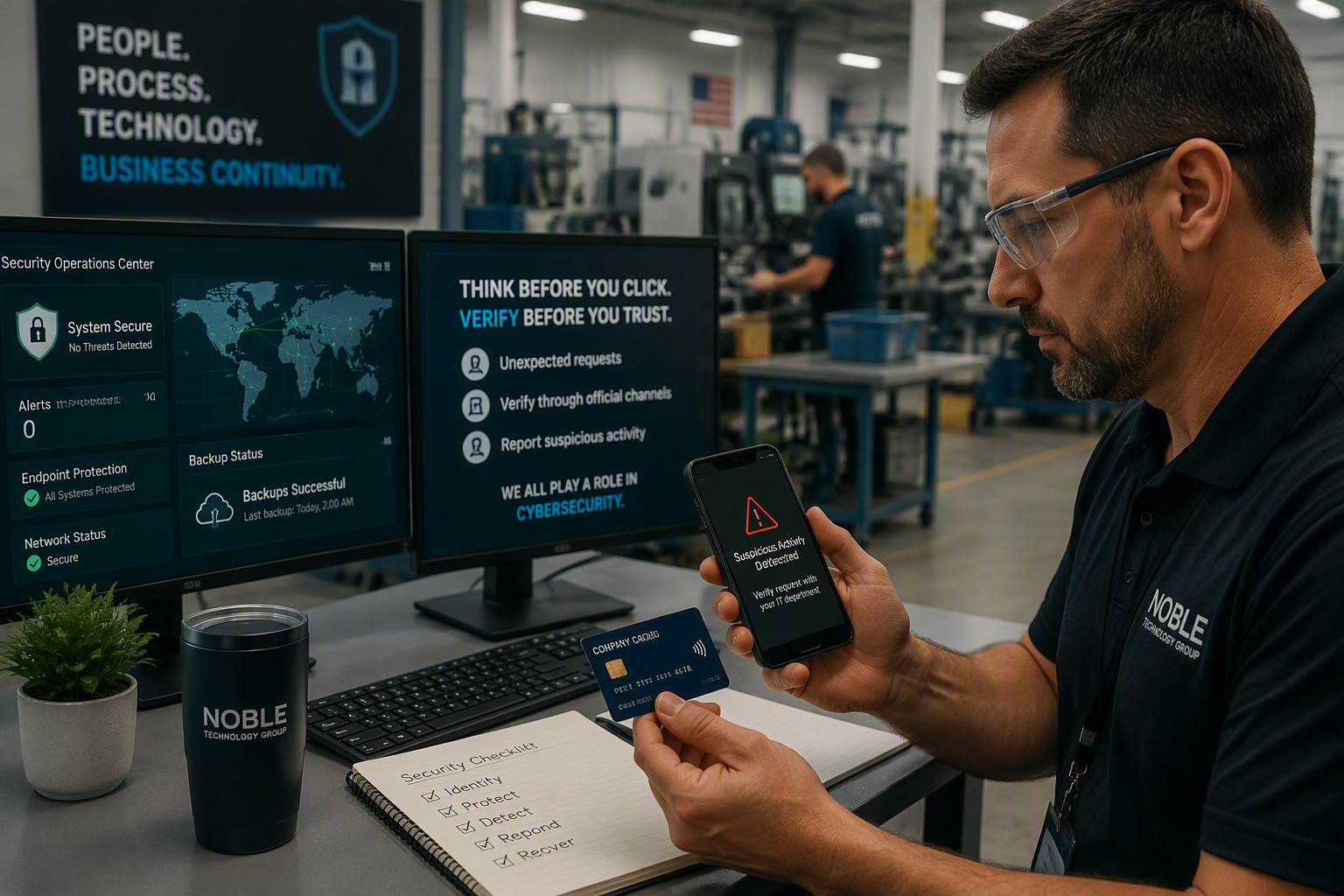
He walks her through what appears to be a routine verification process. He asks her to install an application, place a payment card against the back of her Android phone, and enter her PIN.
The card never leaves her hand.
The phone never leaves her desk.
But while she is still on the call, criminals are using the connection to commit fraud.
That is essentially what security researchers observed in an Android malware campaign involving two malicious tools called SpyNote and WindRelay. In one documented incident, the victim installed malicious software and the attacker carried out fraudulent activity during a single 13-minute phone call.
The malware was the tool. Trust was the weapon.
For business owners, Operations Managers, controllers, office managers, and anyone responsible for company technology, that is the lesson that matters.
Cybercriminals do not always need to force their way into your systems. Sometimes they convince an employee to open the door.
Could This Happen to Your Business?
The WindRelay campaign targeted individual banking customers outside the United States. But the methods behind the attack are directly relevant to businesses here in San Diego and across the country.
Think about the ordinary things your employees do every day:
- Answer calls from customers, banks, and vendors
- Access company email from personal phones
- Approve multi-factor authentication prompts
- Sign in to Microsoft 365 and other cloud applications
- Receive payment-change instructions
- Communicate with executives through text messages
- Install business applications
- Log in to accounting, payroll, and banking systems
Each of those activities creates an opportunity for a criminal to impersonate someone your employee trusts.
Instead of asking an employee to tap a bank card against a phone, an attacker could ask the employee to approve an unexpected MFA request, disclose an authentication code, install remote-access software, sign in through a fraudulent webpage, change a vendor’s banking information, or share sensitive company information.
The request may sound reasonable. The person making it may sound convincing. The employee may believe they are protecting the company.
That is exactly why cybersecurity awareness training matters.
At a Glance: What Business Owners Need to Know
- The WindRelay attack began with a convincing phone call.
- The victim was persuaded to install malicious Android software.
- The victim never surrendered physical possession of the payment card.
- The malware relayed live NFC communication to an attacker-controlled device.
- Similar tactics can target email, banking, payroll, vendors, and Microsoft 365 accounts.
- Cybersecurity awareness training gives employees a process for pausing, verifying, and reporting.
- Mobile device security is now part of business cybersecurity.
- A cybersecurity risk assessment can identify gaps before an incident exposes them.
Why Cyber Insurance Companies Care About Employee Training
Cyber insurance applications increasingly ask businesses to describe the security controls they have implemented.
The exact cyber insurance requirements vary by insurer, policy, applicant, and risk profile. No general checklist can guarantee coverage or determine how a carrier will respond to a claim. Businesses should review their applications and coverage terms with qualified insurance and legal professionals.
However, subjects commonly addressed in cyber insurance and security discussions include:
- Multi-factor authentication
- Endpoint protection
- Email security
- Security awareness training
- Backup practices
- Incident response planning
- Access controls
- Patch management
- Privileged-account protection
- Vendor oversight
The important question is not simply whether your company can check a box.
The question is whether the control is truly in place, works consistently, and can be demonstrated.
For example, your insurance application may state that MFA is enabled. Is it enabled for every user? Does it protect remote access and administrative accounts? Are exceptions documented?
Your application may also state that employees receive cybersecurity awareness training. Have employees completed it? Are new hires included? Is completion documented? Do employees have a clear way to report suspicious activity?
A cyber insurance application should not be the first time a business discovers that its written answers and actual security practices do not match.
A trusted provider of managed IT services can help gather technical information, identify possible gaps, and document existing controls. The business, its insurance adviser, and its legal counsel should ensure that the final answers are accurate.
What This Means for Manufacturers and Contractors
Most manufacturing leaders do not wake up worried about the name of the latest Android malware.
They worry about:
- Missed production deadlines
- Unplanned technology downtime
- Delayed shipments
- Payroll interruptions
- Customer commitments
- Cyber insurance renewals
- Contract requirements
- Damage to the company’s reputation
That is why this story matters.
A single compromised account can interfere with purchasing, scheduling, invoicing, payroll, customer communication, or production support. An attacker impersonating a known supplier could redirect a legitimate payment. A compromised Microsoft 365 account could expose sensitive correspondence or help a criminal impersonate an executive.
Manufacturers, machine shops, aerospace suppliers, defense subcontractors, and other operationally dependent businesses often have little tolerance for downtime.
The greatest cost may not be the initial fraudulent transaction. It may be the disruption that follows.
For many manufacturers, good cybersecurity is part of operational discipline. It supports reliable production, customer confidence, ransomware protection, business continuity, and the ability to recover when something goes wrong.
At Noble Technology Group, we help San Diego manufacturers, contractors, and professional service firms reduce cybersecurity risk through managed IT services, cybersecurity services, compliance services, and strategic IT consulting.
What Is WindRelay Android Malware?
WindRelay is Android malware designed to relay live contactless payment-card communication from a victim’s phone to an attacker-controlled device. The documented attack combined voice phishing, malicious software installation, a SpyNote remote-access Trojan, and Near Field Communication technology.
In plain language, the infected phone became a bridge.
On one end was the victim’s physical payment card. On the other was an attacker-controlled device interacting with a contactless payment terminal.
When the victim placed the card against the Android phone, the phone communicated with the card through NFC. WindRelay then transmitted that live exchange over the internet.
This is more precise than saying the criminals made a permanent copy of the card. The reported activity involved relaying a live interaction between the legitimate card and a payment terminal.
The geographic location of the original campaign should not cause American business owners to ignore the story. Criminal techniques travel quickly, and the underlying social engineering methods are already familiar to businesses everywhere.
How the Android Malware Attack Worked
Step 1: The Criminal Researched the Victim
This was not necessarily a random call.
Researchers found evidence that malicious applications were customized for individual targets, including applications labeled with a victim’s name.
A criminal does not need a complete personal history to sound convincing. A name, employer, bank relationship, vendor connection, or phone number may be enough to construct a persuasive story.
Step 2: The Criminal Made the Call
The caller posed as a trusted representative and claimed there was a problem requiring immediate attention.
This created fear and relief at the same time. The victim feared that the account was in danger but felt relieved that a professional appeared to be resolving it.
That emotional combination encourages people to act before independently verifying the request.
Step 3: The Victim Installed Malicious Software
The victim was instructed to install an application outside the official Android marketplace.
The first malicious application contained SpyNote, a remote-access Trojan. Once SpyNote was active, the attacker used that access to install WindRelay.
This is one of the clearest places where good security awareness training can stop an attack.
Employees should never install software solely because an unexpected caller tells them to do so.
Step 4: The Victim Tapped the Card
The caller instructed the victim to place the payment card against the back of the infected phone.
The request may have been presented as a way to verify, protect, or reactivate the card. The card remained in the victim’s possession, which helped the request feel safe.
Step 5: The Malware Relayed the Communication
WindRelay transmitted the NFC communication to the attacker’s device in real time, allowing the attacker to interact with a payment terminal elsewhere.
The victim did not intentionally authorize a criminal. The victim followed the instructions of someone believed to be trustworthy.
What Is Cybersecurity Awareness Training?
Cybersecurity awareness training teaches employees how to recognize, avoid, verify, and report suspicious activity involving email, phone calls, text messages, applications, passwords, authentication prompts, payments, and sensitive business information.
It should not try to turn employees into cybersecurity experts.
A useful program teaches each employee:
- What looks unusual
- What they should not do
- How to verify a request
- Where to ask for help
- How quickly to report a mistake
Training should reflect situations employees actually encounter, including:
- Unexpected password-reset requests
- Fraudulent Microsoft 365 sign-in pages
- Calls from someone claiming to be IT support
- Vendor requests to change payment information
- Unexpected MFA prompts
- Text messages impersonating executives
- QR-code phishing
- Requests for customer or employee information
- Unapproved software downloads
- Lost or stolen smartphones
- Accidental information disclosure
The reporting process must be simple and safe.
If employees expect embarrassment, anger, or blame, they may hesitate to report an incident. That delay could give an attacker more time to access accounts, move money, steal information, or spread through the network.
I would rather have an employee report ten harmless messages than hide the one that becomes a serious incident.
Good security awareness training teaches people when to pause, verify, and ask for help.
Recognizing a suspicious request is only one part of the answer. Businesses also need a practical training program that fits their employees, responsibilities, and work environment. Read our related guide about /security-awareness-training-san-diego/how security awareness training can change employee behavior.
The First Rule: Know Who Your Real IT Support Provider Is
One of the simplest ways to reduce impersonation risk is to make sure employees know exactly how legitimate IT support works.
Your employees should know:
- Who provides approved IT support
- Which phone numbers and email addresses are legitimate
- How remote-support sessions are initiated
- Whether IT will ever ask for a password or authentication code
- Which software employees may install
- How to report a suspicious support request
This matters because a criminal may not impersonate a bank. The criminal may claim to represent Microsoft, an internet provider, a software vendor, or your managed IT services company.
A process only protects the company when employees know what the legitimate process looks like.
Before employees can recognize fake IT support, they need to know how real IT support is supposed to work.
The Most Common Social Engineering Attacks
Phishing
A fraudulent email that encourages the recipient to disclose information, open a malicious attachment, follow a link, or sign in through a fake webpage.
Vishing
Voice phishing conducted over the phone. The attacker adjusts the conversation in real time based on the victim’s questions and reactions.
Smishing
A fraudulent request delivered through SMS or another mobile messaging service.
Executive Impersonation
The attacker poses as an owner, executive, or manager and requests money, sensitive information, gift cards, or an exception to normal procedures.
Vendor Impersonation
The criminal pretends to be a known vendor and asks the company to update banking or payment information.
Help-Desk Impersonation
The attacker claims to represent an internal or outsourced IT support team and asks for credentials, authentication approval, or remote access.
MFA Fatigue
The attacker repeatedly generates authentication notifications and pressures the user to approve one of them.
These attacks do not succeed only against careless people. They target responsible employees who want to serve customers, solve problems, and keep work moving.
Why Awareness Training Supports Ransomware Protection
WindRelay is not ransomware, but the human techniques used in the campaign can resemble the opening stages of other cyber incidents.
An employee may be persuaded to install remote-access software, reveal credentials, approve authentication, or open a malicious file. Any of those actions could expose a company to a broader compromise.
That is why ransomware protection cannot depend on backups or endpoint software alone.
A layered ransomware-prevention strategy may include:
- Security awareness training
- Endpoint detection and response
- Multi-factor authentication
- Patch management
- Email filtering
- Least-privilege access
- Network security controls
- Protected and verified backups
- Incident response planning
- Disaster recovery testing
No individual control eliminates the risk. Together, these safeguards make it more difficult for attackers to obtain access, move through systems, disrupt operations, and prevent recovery.
Why Every Business Needs a Cybersecurity Risk Assessment
A cybersecurity risk assessment helps a business identify important systems and information, understand credible threats, review existing safeguards, and prioritize improvements based on operational impact.
Businesses cannot protect assets they have not identified.
A practical assessment should help leadership answer questions such as:
- Where does sensitive business information live?
- Which employees and vendors can access it?
- Which personal devices connect to company systems?
- Who can approve payments or change banking instructions?
- Which systems are essential to operations?
- What would happen if Microsoft 365 became unavailable?
- Are backups protected and recoverable?
- How quickly could essential operations resume?
- Who is responsible during a cyber incident?
- Do actual controls match cyber insurance answers?
A cybersecurity risk assessment should result in prioritized actions, not simply a long list of technical findings.
For an Operations Manager, the useful output is not “you have risk.” The useful output is what matters, what should be fixed first, who owns the action, and how the company will know the problem was addressed.
Could Your Team Recognize a Call Like This?
Most employees want to do the right thing. The problem is that many businesses have never given them a clear process for handling suspicious calls, unexpected software, unusual MFA prompts, or mobile access.
At Noble Technology Group, we help San Diego businesses review employee security awareness, mobile device access, cyber insurance questions, and incident-reporting procedures.
The Smartphone Problem Nobody Talks About
A smartphone may be personally owned, but the business activity taking place on it is real.
Employees commonly use phones to access Microsoft 365, business email, Teams, banking applications, cloud documents, password managers, customer systems, authentication applications, expense platforms, and vendor portals.
Depending on the organization’s needs, mobile device security may include:
- Mobile device management
- Screen-lock requirements
- Device encryption
- Supported operating-system requirements
- Approved application policies
- Remote removal of company data
- Conditional access
- Lost-device reporting
- Separation of business and personal information
- Restrictions on modified or unsupported devices
The Hidden Risk of Bring Your Own Device
Many businesses have a bring-your-own-device environment without ever formally deciding to have one.
If employees read company email on personal phones, use Teams, or approve MFA prompts, the company already has a BYOD issue to manage.
A useful BYOD policy should clearly explain what is allowed, what is required, who is responsible, and what happens when something goes wrong.
How Compliance Services Create Consistency
Compliance should not be paperwork for the sake of paperwork.
Used properly, compliance services help transform good intentions into repeatable practices.
Strong compliance services connect policy, responsibility, action, and evidence. That creates more than audit readiness. It creates consistency.
Business Continuity Planning and Disaster Recovery
Business continuity planning identifies how essential business functions will continue during a disruption. Disaster recovery focuses on restoring affected technology, systems, applications, and data.
For a manufacturer, business continuity planning may address production scheduling, purchasing, shipping, payroll, customer communication, access to drawings, vendor coordination, and leadership communications.
A disaster recovery strategy may include:
- Protected backups
- Backup monitoring
- Recovery procedures
- Assigned responsibilities
- Recovery testing
- Documented system priorities
- Defined recovery objectives
- Current vendor contact information
Having a backup is not the same as knowing the company can recover.
Recovery testing provides evidence that systems and information can be restored. This is the difference between hoping the business will recover and preparing it to recover.
How Managed IT Services Reduce Cybersecurity Risk
Managed IT services reduce cybersecurity risk by combining ongoing IT support, monitoring, maintenance, security controls, documentation, employee education, strategic planning, and recovery preparation.
Traditional break-fix IT waits for something to stop working.
A modern managed services relationship should help prevent predictable problems and strengthen the company’s ability to respond to unexpected ones.
At Noble Technology Group, that broader approach can include:
- Proactive monitoring
- Responsive IT support
- Endpoint protection
- Patch management
- Identity and access security
- Network security
- Managed cybersecurity services
- Security awareness training
- Backup monitoring and testing
- Mobile device planning
- Incident response preparation
- Business continuity planning
- Disaster recovery planning
- Cybersecurity risk assessments
- Strategic IT consulting
- Compliance services
Managed IT services should protect your people’s time, your customers’ trust, and your name on the door.
What Employees Should Do During a Suspicious Call
- Slow down the conversation. Do not allow the caller’s urgency to become your urgency.
- Do not install anything.
- Do not disclose a password, PIN, or authentication code.
- Do not approve an unexpected MFA prompt.
- Record what the caller claimed.
- End the call.
- Contact the organization independently using a verified number.
- Report the incident to the company’s approved IT support contact.
Ending a suspicious call is not rude. It is responsible.
What If Someone Already Installed the Software?
If an employee installed an application at the direction of an unexpected caller, escalate the incident immediately.
Do not spend valuable response time assigning blame.
- Stop using the affected device
- Contact the company’s IT or cybersecurity provider
- Preserve relevant calls, texts, and emails
- Identify the installed application
- Review authentication and account activity
- Contact the appropriate financial institution if payment information may be affected
- Follow the documented incident-response process
- Record the actions taken
Deleting an application does not prove that access has ended or that the device is safe.
Cybersecurity Checklist for Business Owners
Protect Your People
- Provide recurring cybersecurity awareness training
- Include phishing, vishing, smishing, and impersonation scenarios
- Create a simple reporting process
- Document payment-verification procedures
- Teach employees to reject unexpected MFA requests
- Encourage fast, blame-free reporting
Protect Your Devices and Network
- Maintain endpoint protection
- Apply security updates
- Define mobile-device requirements
- Restrict unapproved applications
- Require encryption and screen locks
- Review access from personal devices
- Maintain appropriate network security controls
Protect Identities
- Require MFA where appropriate
- Separate administrative and everyday accounts
- Remove unnecessary privileges
- Review access periodically
- Terminate access promptly during offboarding
- Protect account-recovery procedures
Prepare the Business
- Conduct a cybersecurity risk assessment
- Maintain an incident response plan
- Review cyber insurance requirements
- Protect and verify backups
- Test disaster recovery procedures
- Maintain a business continuity plan
- Document responsibilities
- Review vendor access and risk
What Our Clients Say
Technology feels much less overwhelming when people know they have someone dependable to call.
“Peter and Roody from Noble Technology Group are always available to answer questions I may have regarding computer issues. They do in-person visits, which is really convenient for me. I am not computer savvy, and having them makes me feel at ease. They know their stuff and always get us taken care of.”
Sarah Gonzalez, Google review
“I have been working with these amazing folks for about three years now. I cannot recommend them enough. They provide amazing customer service. Highly recommended.”
Matt Jones, Google review
That is what good IT support and cybersecurity services should create.
Not more confusion.
Confidence.
Frequently Asked Questions
What is cybersecurity awareness training?
Cybersecurity awareness training teaches employees how to recognize, avoid, verify, and report suspicious activity involving email, phone calls, messages, applications, authentication, payments, and sensitive information.
Why is cybersecurity awareness training important?
Employees regularly interact with customers, vendors, financial institutions, and business systems. Training gives them a repeatable way to pause and verify unexpected requests before taking an action that could expose the company.
Can Android malware steal payment information?
Android malware can be designed to access sensitive information or abuse device capabilities. In the WindRelay campaign, malware relayed live NFC communication between a victim’s payment card and an attacker-controlled device.
What is a vishing attack?
Vishing is voice phishing. An attacker calls a target and impersonates a trusted person or organization to obtain information, money, access, or cooperation.
Can malware infect a phone through a phone call?
A normal phone conversation does not automatically install an application. In the WindRelay attack, the caller persuaded the victim to install malicious software.
Does cyber insurance require security awareness training?
Some cyber insurance applications ask about employee security awareness training, but requirements vary. Businesses should review the specific application and policy with qualified insurance and legal professionals.
How can managed IT services improve cybersecurity?
Managed IT services can combine proactive monitoring, IT support, maintenance, security controls, documentation, employee training, strategic IT consulting, and recovery preparation.
What is the difference between incident response and disaster recovery?
Incident response addresses how an organization detects, contains, investigates, and manages a security event. Disaster recovery focuses on restoring affected technology, applications, systems, and data.
Prepared, Not Fearful
The goal is not to make employees suspicious of every phone call.
The goal is to give them the confidence to pause, verify, and ask for help.
The WindRelay attack combined malicious software with targeted human manipulation. But it also presented several opportunities to stop the attack.
The request could have been independently verified. The software installation could have been restricted. The suspicious call could have been reported. A mobile-device policy could have reduced the exposure.
Good cybersecurity gives people more opportunities to make the safe decision.
Your employees do not need to become cybersecurity experts. They need the confidence to pause, verify, and ask for help.
At Noble Technology Group, we help businesses connect people, processes, and technology through managed IT services, responsive IT support, cybersecurity services, strategic IT consulting, compliance services, cybersecurity risk assessments, and business continuity planning.
Our goal is not to bury you in technical terminology. It is to help you understand what matters, make steady improvements, and build a business that is harder to disrupt.
If you are unsure whether your employee training, mobile-device controls, ransomware protection, cyber insurance answers, and recovery plans line up with your actual risk, we can help you take an honest look.
Cybersecurity Awareness and Mobile Access Review
We can help you review how employees handle suspicious requests, how personal and company-owned phones access business systems, how mobile incidents are escalated, and whether your cyber insurance answers reflect your actual security practices.
This is not about frightening employees or selling every available security product. It is about understanding the risk, establishing trusted procedures, and making the next sensible improvement.
Related reading: Vendor Breach, Your Risk: What a Third-Party Cyber Incident Means for Your Business